
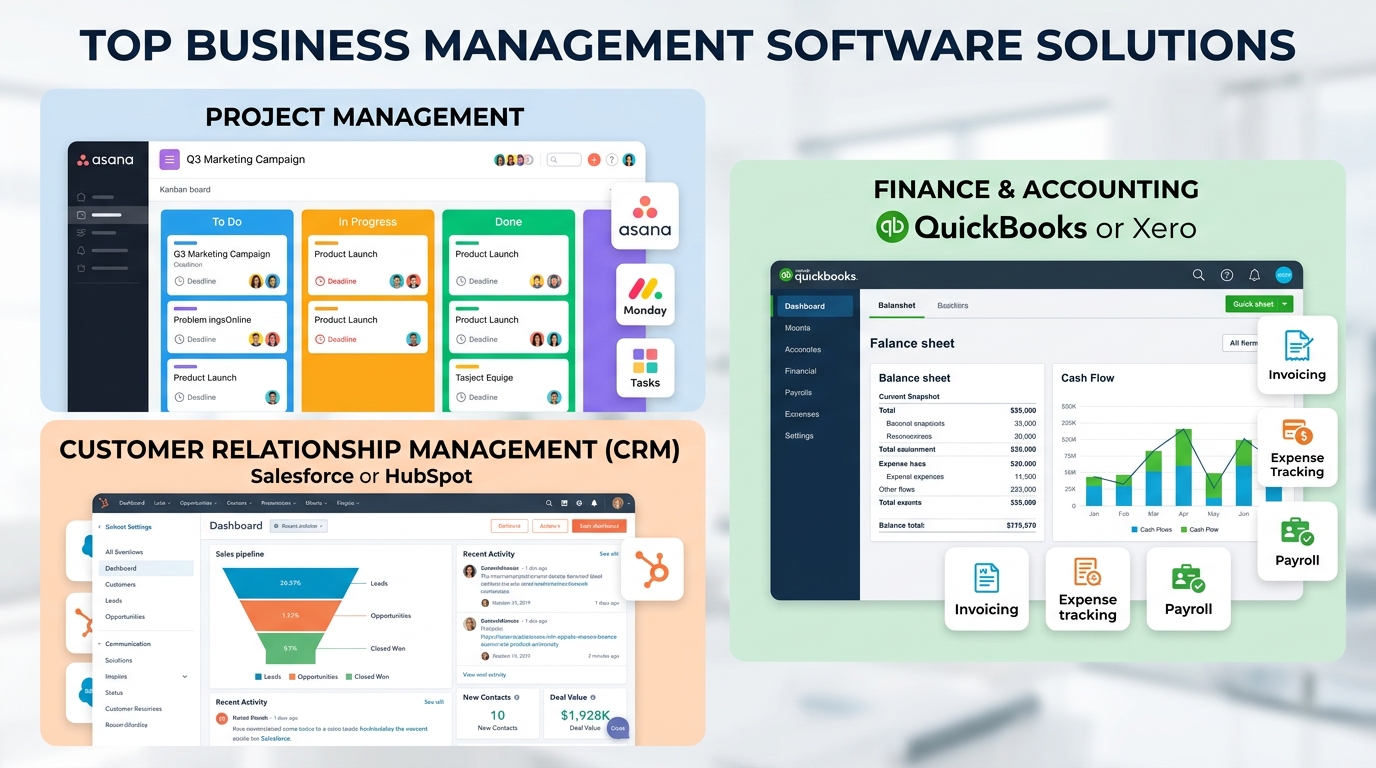
Here’s a scenario that plays out in thousands of small businesses every week. The sales team lives in one CRM. The project team runs everything through a shared spreadsheet. Finance tracks expenses in QuickBooks. HR manages onboarding in a separate system. And somewhere in the middle, the business owner is stitching it all together with Slack messages, email threads, and a growing sense of dread.
It doesn’t have to be this way.
The right business management software for small and medium businesses consolidates these fragmented systems into a single, connected platform giving your team one place to work, one source of truth for your data, and one dashboard to run the business from. No more context switching. No more data silos. No more Monday morning chaos.
This guide cuts through the noise. We’ll show you what to look for, compare the top platforms for 2026, and help you find the right fit based on your business size, industry, and actual workflow not just a ranked list of logos.
The SMB software market is valued at $79.82 billion in 2026 and projected to reach $151.74 billion by 2035, growing at a 7.4% CAGR. For small businesses, integrated management software is no longer optional it’s operational infrastructure. (Business Research Insights, 2026)
What Is Business Management Software?
Business management software is a suite of integrated digital tools designed to help companies run their daily operations from a centralized platform. For small and medium businesses specifically, the best platforms combine several core functions:
- Project and task management
- Customer relationship management (CRM)
- Financial management and invoicing
- Human resources and team management
- Communication and document collaboration
- Reporting, analytics, and dashboards
The key word is integrated. Individual tools that don’t talk to each other create the fragmentation problem that eats your team’s time. The best business management software eliminates that problem by keeping data consistent and accessible across every function.
Why This Decision Matters More Than Ever in 2026
The numbers make a compelling case for action. According to IDC, global SMB IT spending reached $1.1 trillion in 2025 and is projected to grow 7.2% in 2026. More importantly, nearly 60% of SMBs implement software specifically to improve operational efficiency and reduce costs it’s the number one driver of adoption.
Meanwhile, AI is reshaping the software landscape faster than most people expected. Medha Cloud’s 2026 AI Adoption Report found that 42% of SMBs already use AI in at least one core business process, up from just 23% in 2024. And 74% of SMBs are already benefiting from AI indirectly through embedded features in the software they already use CRM lead scoring, smart invoicing, predictive project timelines.
The practical takeaway: if your business management software doesn’t have AI capabilities baked in, you’re already falling behind competitors who do.
The Big Decision: All-in-One Suite vs. Best-in-Class Stack
Before comparing specific tools, you need to answer one foundational question: should you buy an integrated suite that does everything, or assemble your own stack of specialized best-in-class tools?
Choose an All-in-One Suite If:
- Your team has fewer than 25 people and limited IT resources
- You want one vendor, one bill, and one support team
- Data consistency across departments matters more than depth in any single module
- You’re starting fresh with no entrenched tools to migrate from
Choose a Best-in-Class Stack If:
- You have specialized, complex needs in one or two specific areas (e.g., manufacturing inventory, complex legal billing)
- You already have a core system you love and want to extend it with point solutions
- Your team has the technical capacity to manage integrations and API connections
- You’re in a niche industry with vertical-specific tools that outperform generic platforms
For most SMBs under 50 employees, an integrated suite is the right starting point. You can always layer in specialized tools later. Starting with a fragmented stack and trying to unify it later is much harder.
Top Business Management Software for SMBs in 2026: Comparison Table
Here’s a comprehensive look at the leading platforms across key dimensions:
| Tool | Best For | Key Modules | Starting Price | Standout Feature |
| Zoho One | All-in-one ops | CRM, HR, Projects, Finance, Marketing | $37/user/mo | 45+ integrated apps in one platform |
| monday.com | Project & work mgmt | Tasks, Dashboards, Automations, CRM | $9/seat/mo | Visual workflow builder, no-code |
| QuickBooks Online | Financial management | Accounting, Payroll, Invoicing, Tax | $35/mo | Industry-standard bookkeeping + payroll |
| HubSpot (Free CRM) | Sales & marketing | CRM, Email, Pipeline, Analytics | Free tier available | Free forever CRM with 1M contacts |
| Bitrix24 | Collaboration + CRM | CRM, HR, Tasks, Communication, Docs | Free tier available | Unlimited users on free plan |
| ClickUp | Team productivity | Tasks, Docs, Goals, Time Tracking | $7/user/mo | Most customizable workspace structure |
| Odoo | Operations + ERP-lite | Inventory, Accounting, CRM, eCommerce | $24.90/user/mo | Modular: pay only for what you need |
| Wave | Micro/small biz finance | Invoicing, Accounting, Payroll | Free core plan | Truly free invoicing and bookkeeping |
| Freshbooks | Service-based SMBs | Invoicing, Time Tracking, Proposals | $19/mo | Best client portal experience |
| Wrike | Scaling SMBs | Projects, Portfolios, Reports, Gantt | $9.80/user/mo | Enterprise-grade reporting at SMB price |
Pricing as of May 2026. Always verify current pricing on vendor websites before purchasing.
Deep Dives: The Top Platforms
1. Zoho One – Best All-in-One Suite for Growing SMBs
Zoho One is, simply put, the most comprehensive integrated business platform available at an SMB price point. With 45+ unified apps covering CRM, accounting, HR, marketing, projects, and more, it functions less like software and more like an operating system for your business.
The integration depth is the key differentiator. When a sales deal closes in Zoho CRM, it can automatically trigger an invoice in Zoho Books, create an onboarding project in Zoho Projects, and update headcount planning in Zoho People all without manual intervention. That’s the power of a truly unified platform.
Zoho’s AI assistant, Zia, adds predictive capabilities across the suite: sales forecasting, anomaly detection in financial data, and intelligent task suggestions. For SMBs entering the AI era, this is a significant competitive advantage.
- Best for: SMBs with 10–200 employees wanting to eliminate tool sprawl
- Watch out for: The learning curve is real. Plan for a proper 60-day implementation.
2. monday.com – Best for Project-Heavy Teams
monday.com has evolved far beyond project management into a genuine work management platform. Its no-code workflow builder lets non-technical team members automate complex processes approval chains, status updates, cross-team notifications without writing a single line of code.
The visual interface is genuinely excellent. Multiple views (Kanban, Gantt, Calendar, Map, Workload) let every team member see work in the format that makes most sense to them. And monday’s AI Assist feature, launched in 2024 and significantly upgraded in 2025, can generate project plans, summarize board updates, and surface at-risk tasks proactively.
- Best for: Teams where project visibility and workflow automation are the primary pain points
- Watch out for: Financial management isn’t native you’ll need a separate accounting integration
3. QuickBooks Online – Best for Financial-First Small Businesses
If your single biggest operational challenge is financial management invoicing, payroll, expense tracking, tax prep QuickBooks Online remains the industry standard for very good reason. It’s trusted by millions of small businesses and deeply integrated with the accounting ecosystem (CPAs, banks, tax software).
QuickBooks isn’t a full business management suite. What it does, it does better than almost anyone else. For service businesses and retailers where cash flow management and tax compliance are the operational core, it’s hard to argue with.
- Best for: Small businesses where financial management is the primary operational need
- Watch out for: Not a project or team management tool expect to pair it with something else
4. HubSpot – Best Free Starting Point for Sales-Led SMBs
HubSpot’s free CRM tier is one of the most genuinely useful free products in business software. Support for up to 1 million contacts, a clean pipeline view, email integration, and basic reportin all at no cost.
The growth path from free to paid is where things get interesting. As you scale into marketing automation, customer service tools, and the Operations Hub, HubSpot becomes one of the most powerful revenue-generation platforms available to mid-market SMBs. The 2025 addition of AI agents for sales prospecting and customer support automation has made HubSpot even more compelling.
- Best for: Sales and marketing-led businesses that will scale into the paid platform over time
- Watch out for: Paid tiers get expensive quickly. Understand your growth trajectory before committing.
5. ClickUp – Best for Teams That Want Maximum Customization
ClickUp’s tagline ‘One app to replace them all’ is ambitious, but for project and productivity management specifically, it’s not far off. The level of customization available is extraordinary: custom statuses, custom fields, custom views, custom automations, custom dashboards. If you have an opinionated workflow, ClickUp can probably match it.
ClickUp Brain, the platform’s AI layer, can summarize tasks, draft documents, generate action items from meeting notes, and provide project status summaries on demand. For knowledge workers and agencies, this is genuinely transformative.
- Best for: Teams with specific, complex workflow requirements who want to own their system design
- Watch out for: Too many options can paralyze teams. Invest time in proper setup before rolling out broadly.
Choosing the Right Software: A Decision Framework
Before you evaluate any specific platform, answer these five questions:
- What is your single biggest operational bottleneck right now? (Projects, customers, finances, or people?)
- How many people will use the system, and what are their technical comfort levels?
- What tools are you already using that you love and must integrate with?
- What is your realistic monthly software budget per user?
- Where do you expect to be in 18 months? (Same size, 2x employees, new revenue streams?)
Your answers will point clearly toward a category:
- Project-first bottleneck → monday.com, ClickUp, Wrike
- Customer/sales-first → HubSpot, Zoho CRM, Bitrix24
- Finance-first → QuickBooks, Xero, Wave
- Everything at once → Zoho One, Odoo, monday.com + integrations
Industry-Specific Recommendations
Professional Services (Law, Consulting, Accounting)
Prioritize time tracking, client billing, document management, and project profitability. Top picks: Zoho One, Freshbooks, HoneyBook, or ClickUp paired with QuickBooks.
Retail and E-Commerce
Inventory management, order tracking, and customer segmentation are mission-critical. Top picks: Odoo (strong inventory module), Zoho One, or Shopify paired with a dedicated CRM.
Construction and Field Services
Job costing, scheduling, subcontractor management, and mobile access are non-negotiable. Top picks: Buildertrend, Jobber, or Zoho Projects with QuickBooks integration.
Marketing Agencies and Creative Teams
Client communication, project timelines, and deliverable tracking are the core needs. Top picks: ClickUp, monday.com, or Wrike paired with HubSpot for client management.
Implementation: Don’t Skip the 30-60-90 Plan
Choosing software is 20% of the battle. Implementation is the other 80% and it’s where most SMBs fail. Here’s a proven phased approach:
Days 1-30: Foundation
- Migrate your most critical data (contacts, active projects, outstanding invoices)
- Train your core team on one module don’t try to use everything at once
- Set up your three most important automations or workflows
- Establish baseline metrics you’ll measure improvement against
Days 31-60: Expansion
- Roll out to additional departments or team members
- Connect your most-used integrations (email, calendar, communication tools)
- Audit your first 30 days: What’s working? What’s being skipped?
- Run your first reporting cycle using the new system
Days 61-90: Optimization
- Identify the top 3 manual processes that still haven’t been automated
- Build or refine your reporting dashboards to reflect actual business KPIs
- Gather team feedback formally and address friction points
- Evaluate whether the platform is meeting your original bottleneck if not, adjust
Frequently Asked Questions
What is business management software for small businesses?
It’s an integrated digital platform that centralizes your core operations projects, customers, finance, and communication into one connected system, replacing scattered single-purpose apps.
Which is the best business management software for SMBs in 2026?
Zoho One is the best all-in-one suite. monday.com leads for project management. QuickBooks Online is best for financial management. HubSpot offers the best free CRM tier. The right choice depends on your primary business challenge.
How much does SMB business management software cost?
Free options exist (HubSpot CRM, Bitrix24, Wave). Paid plans range from $7 to $99+ per user per month. A 10-person team can expect to pay $100–$500/month for a solid integrated solution.
Is cloud-based business management software secure?
Yes. Reputable platforms use 256-bit encryption, SOC 2 compliance, two-factor authentication, and regular audits. Cloud platforms typically offer stronger security than on-premise systems maintained by small IT teams.
How long does implementation take?
Simple tools: hours to days. Comprehensive suites: 30–90 days. Plan a phased rollout one module, one team, prove the value, then expand.
What’s the difference between business management software and ERP?
Business management software is flexible, SMB-friendly, and cloud-native. ERP is traditionally heavier, designed for enterprise complexity. Modern platforms like Odoo blur this line with ERP-lite capabilities at SMB prices.
The Bottom Line
The right top business management software for small and medium businesses isn’t the one with the most features it’s the one that solves your most pressing operational problem, that your team will actually use, and that grows with you as your business scales.
Start with your bottleneck. Match it to a platform category. Run a real 30-day trial with your actual team and actual data. And build your implementation plan before you go live, not after.
The SMB software market exists because this problem is real, widespread, and solvable. With the right platform and the right rollout plan, operations that feel chaotic today can feel genuinely under control within 90 days. The question isn’t whether to invest in business management software it’s which one fits your business best.
What Is CRM Software? Meaning, Features & Why Businesses Use It
Still managing customers in spreadsheets? Discover how CRM software helps you track leads, automate tasks, and grow faster.