
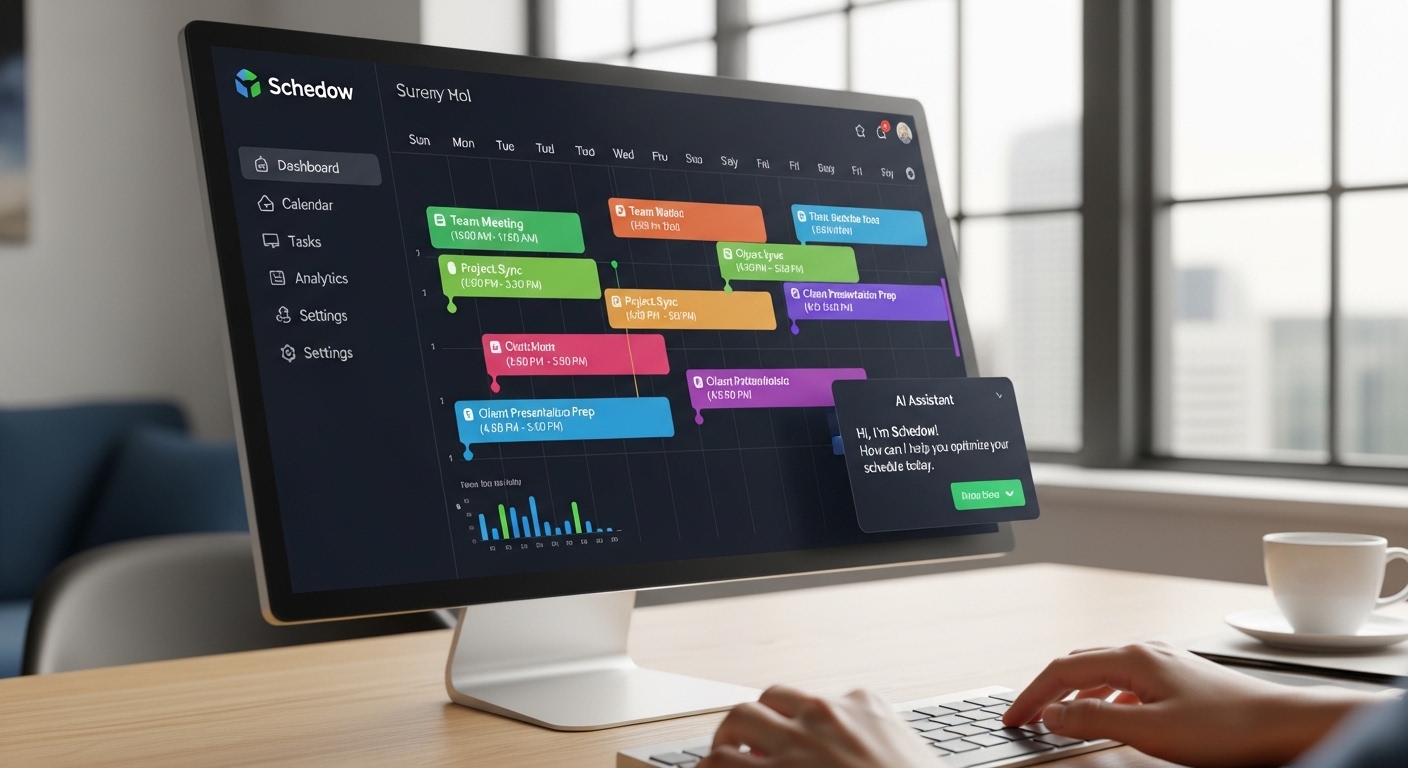
Your calendar is lying to you. It shows you blocks of time open slots, meetings, deadlines but it has no idea whether you’re actually capable of doing your best work at 9 AM versus 2 PM. It can’t tell that back-to-back calls drain you. It doesn’t know you do your sharpest thinking before lunch but can barely string a sentence together right after. It just sits there, passive, waiting for you to arrange your own life.
That’s the exact problem Schedow was built to solve. And in 2026, with AI embedded in everything from spreadsheets to search engines, it’s worth asking whether this tool actually delivers on that promise or whether it’s just another calendar app with a smarter-sounding name.
This review covers everything: what Schedow really is, how the AI actually works, how it stacks up against the biggest names in the space, who it genuinely helps, and the honest answers to questions the other reviews never bother to address.
What Is Schedow?
Schedow is an AI-powered scheduling and time management platform designed to do something most productivity tools won’t even attempt adapt to the way you personally work, rather than forcing you into someone else’s system.
At its core, Schedow combines three functions that usually live in separate apps: calendar management, task scheduling, and personal productivity intelligence. You connect your existing calendars, enter your tasks and commitments, and the AI takes over the hard part figuring out when each piece of work should actually happen, based on your real patterns and priorities.
Unlike a traditional calendar, which is essentially a passive display of what’s on your plate, Schedow actively manages what goes where. If a meeting runs long, it adjusts. If you mark a task as urgent, it reorganizes your day to accommodate it. If you consistently skip the tasks it schedules on Monday mornings, it learns to stop scheduling them there. The system isn’t just reacting to what you put into it it’s watching what actually happens and getting smarter about your habits over time.
The platform integrates with Google Workspace, Microsoft Outlook, Zoom, Slack, and Microsoft Teams, which means it doesn’t require a wholesale overhaul of your existing tech stack. Everything syncs in real time across devices, so your schedule stays current whether you’re on desktop or mobile.
Where the Name Comes From – “Schedule + Shadow”
The name Schedow isn’t random. It’s a deliberate portmanteau of two words: “schedule” and “shadow.” Together, they capture the tool’s central design philosophy that a great scheduling tool should function like a shadow. It follows you everywhere, quietly, without demanding attention, but it’s always there and always useful.
A shadow doesn’t interrupt you. It doesn’t bombard you with notifications. It doesn’t need you to check in constantly. It just exists in the background, adapting to wherever you are and whatever you’re doing. That’s the model Schedow is built on persistent, invisible when it’s working well, and noticeable only when it saves you from a scheduling disaster you didn’t even see coming.
The metaphor also reflects the tool’s learning behavior. A shadow takes on your shape. Over time, Schedow takes on the shape of your work habits, your energy patterns, your preferences, and your personal style of getting things done. The longer you use it, the more it resembles how you actually function not a generic productivity framework, but something tailored specifically to you.
How It Works – AI Learning Explained Simply
Let’s strip away the marketing language and look at what the AI in Schedow actually does.
When you first set up Schedow, you tell it a few basic things: your working hours, your preferred break times, and roughly when you feel most focused. That’s the starting point. From there, the system begins collecting data on how your schedule actually plays out in practice.
It watches which types of tasks you tend to complete on time versus push back. It notices which time slots produce completed work and which ones get skipped. It tracks how long your meetings actually run versus how long they were planned for. It identifies patterns in when you reschedule, when you accept new commitments, and when you block off time for focused work. None of this requires conscious input from you it’s happening passively as you use the tool.
Over a few weeks, the AI builds a working model of your personal productivity profile. That model informs every scheduling decision it makes going forward. If you’re a person who does their most analytical work in the morning, Schedow will start protecting those hours from meeting requests and routing lower-complexity tasks to the afternoon. If you’re someone who hits a second wind around 4 PM, it’ll learn to reserve sharper work for that window.
The task prioritization layer adds another dimension. Every task you enter gets evaluated against your existing calendar, your deadlines, and its relative importance. The system decides not just when to schedule it, but whether it should interrupt another planned block if something more urgent comes in. When priorities shift which they always do Schedow reshuffles automatically rather than leaving you to manually drag things around on a calendar grid.
Key Features – Full Breakdown
Intelligent Time Optimization is the signature capability. Schedow doesn’t just find open slots it evaluates which slots are actually appropriate for the kind of work you’re trying to do. Creative work doesn’t go in the same window as administrative tasks. High-stakes decisions don’t get buried in the post-lunch slump. The system maps task type to your personal energy patterns.
Smart Automation handles the rescheduling work that eats up your day invisibly. When a meeting runs long, when something gets canceled, when a new priority lands in your lap Schedow responds automatically. It updates participants, finds alternate slots, and sends revised invites without you touching a thing.
Focus Mode takes distraction management seriously. During designated deep work blocks, Schedow can silence notifications, sync with your device’s Do Not Disturb settings, and prevent new meetings from being booked into protected windows. Importantly, it still makes sure you get the reminders you actually need before and after those blocks.
Multi-Platform Integration means you’re not abandoning your existing tools. Google Workspace, Outlook, Zoom, Slack, and Teams all connect natively, with real-time sync ensuring changes propagate across every platform instantly. No more hunting through tabs or discovering a conflict after it’s too late.
Team Coordination Tools give managers and collaborative teams shared visibility into collective availability without exposing personal calendar details. Scheduling a group meeting goes from a 15-email thread to a single automated process that finds the slot that works for everyone.
Time Analytics is the feature that surprises users most once they’ve been on the platform for a few weeks. Schedow surfaces data on how you’re actually spending your time versus how you planned to, which task categories are eating more time than expected, and where your focus blocks are being eaten by interruptions. Most people find these reports genuinely uncomfortable in a productive way.
Smart Reminders go beyond simple alerts. Instead of pinging you five minutes before everything indiscriminately, the system calibrates reminders based on the type of task and your historical patterns. A critical deadline that you tend to underestimate gets earlier, more insistent warnings. A routine weekly review gets a single nudge.
Schedow vs. Notion, Google Calendar, and Motion App – Direct Comparison
This is the comparison nobody in the Schedow content space has done properly, so let’s do it right.
Schedow vs. Google Calendar
Google Calendar is where most people live, and it’s genuinely great at one thing: being a shared, reliable, universally compatible record of what’s happening and when. What it cannot do is make any decisions about any of that. It will happily let you schedule a critical deadline review at 3 PM on a Friday the lowest-energy, least-focused moment of most people’s week without a word of warning. It displays your life; it doesn’t optimize it. Schedow is not a replacement for Google Calendar’s sharing and compatibility strengths, but it is a substantial upgrade on every dimension that involves actually protecting and optimizing your time.
Schedow vs. Notion
Notion is a workspace, not a scheduler. It’s exceptional at building knowledge bases, project documentation, databases, and wikis. The Notion Calendar feature added in 2024 (built from the Cron acquisition) gives it calendar display capabilities and scheduling links, but it still lacks true AI scheduling automation there’s no system moving your tasks around based on when you work best. If you’re choosing between the two for time management specifically, Schedow is the purposeful tool. Most people who use both end up with Schedow handling their execution and calendar optimization while Notion holds their knowledge and project documentation.
Schedow vs. Motion App
This is the most direct competition, and it’s worth being honest: Motion is a serious, feature-rich competitor. Motion auto-schedules tasks, integrates with calendars, and manages projects and it’s been around long enough to have a substantial user base and real reviews. The differences are meaningful though. Motion is AI Calendar-first and has evolved into a comprehensive workspace with docs, projects, and even AI Employees (a feature that lets AI handle tasks like writing content or email responses). Motion’s complexity is also its most common complaint multiple Reddit threads and G2 reviews flag that setup is confusing, settings are scattered, and misconfigured calendars can result in the AI moving things in unexpected ways. At $29–$49 per month per user, it’s also at a premium price point that’s hard to justify for individuals who don’t need the full project management suite. Schedow positions itself as more focused and more approachable, with a tighter emphasis on personal productivity intelligence without the enterprise complexity. If you need Motion’s full project management depth, Motion may be the right call. If you want intelligent scheduling without the learning-curve overhead, Schedow is the stronger choice.
| Feature | Schedow | Motion | Notion | Google Calendar |
|---|---|---|---|---|
| AI task auto-scheduling | ✅ Yes | ✅ Yes | ❌ No | ❌ No |
| Learns your work patterns | ✅ Yes | ✅ Yes | ❌ No | ❌ No |
| Focus time protection | ✅ Yes | ✅ Yes | ❌ Limited | ❌ No |
| Knowledge base / docs | ❌ No | ✅ Limited | ✅ Excellent | ❌ No |
| Team project management | ✅ Basic | ✅ Advanced | ✅ Advanced | ❌ No |
| Free tier available | ✅ Yes | ❌ Trial only | ✅ Yes | ✅ Yes |
| Setup complexity | Low | High | Medium | Very Low |
| Best for | Time optimization | Full workspace | Knowledge + planning | Basic scheduling |
Best Use Cases – Work, School, Home, and Teams
For Working Professionals and Knowledge Workers
The clearest win for Schedow is the professional who manages their own calendar but constantly loses their best hours to meetings that could have happened anytime. If you have the autonomy to decide when your deep work happens but struggle to actually protect it, Schedow enforces that protection automatically. Consultants, writers, developers, analysts, and anyone doing cognitively demanding solo work benefits immediately.
For Startups and Small Businesses
Teams where everyone wears five hats simultaneously get enormous value from the coordination layer. Scheduling client calls, internal check-ins, and focused project work without creating conflicts or sacrificing productivity windows is a constant struggle at the startup level. Schedow removes the coordination friction without requiring a dedicated operations person to manage it.
For Students
The academic use case is genuinely underrated. Managing assignment deadlines across five courses, part-time work, study sessions, and a social life requires exactly the kind of dynamic reprioritization that Schedow handles automatically. Students who consistently underestimate how long tasks take which is basically all students benefit from the time analytics showing the gap between planned and actual.
For Remote Teams Across Time Zones
The time zone coordination problem that plagues distributed teams is one of Schedow‘s strongest use cases. Instead of the 15-minute email thread trying to find a meeting time that works for someone in Austin, someone in London, and someone in Singapore, the system identifies viable windows automatically and handles the invite process end to end.
For Freelancers and Client-Facing Professionals
Freelancers often struggle with a specific problem: letting clients book time without giving away every open slot on their calendar. Schedow allows client-facing booking within predefined parameters, protecting personal time and focus blocks while still offering flexible availability to the people who pay the bills.
How the AI Actually Predicts Your Best Focus Time – The Science Behind It
This section is the one most Schedow articles skip entirely. Here’s why what Schedow does is grounded in real biology, not just marketing copy.
Human cognitive performance is not consistent across the day. That’s not a productivity hack it’s hard science. Research published in Nature and Science of Sleep and studies from the University of Pennsylvania’s Division of Sleep and Chronobiology document what chronobiologists call circadian rhythms: the body’s internal ~24-hour biological clock that regulates alertness, hormone production, body temperature, and cognitive function. Your ability to focus, process information, hold things in working memory, and execute complex reasoning all rise and fall predictably based on these rhythms.
For most people, alertness climbs after waking, reaches a peak in the late morning, drops in the early-to-mid afternoon (the post-lunch dip is real and biological, not caused by the sandwich), and rises again for a secondary peak in the late afternoon or early evening. But there’s enormous individual variation. Night owls experience these peaks several hours later than early birds. Research published by the IZA Institute of Labor Economics found peak cognitive performance on timed exams occurred at roughly 1:30 PM not the morning, which most people assume is their sharpest time. The honest answer, as Harvard Business Review’s coverage of circadian rhythm research makes clear, is that your optimal window depends on your specific chronotype and sleep patterns.
Schedow leverages this science in a practical way. Early in your use of the platform, you provide baseline information about your energy patterns. But more importantly, the AI watches your actual behavior over time: when you complete focus tasks versus defer them, when your meeting performance is sharp versus sluggish, when you tend to reschedule or abandon planned work sessions. By correlating these behavioral signals with the times they occur, Schedow builds a personalized model of your productive windows not a generic assumption about when people focus best, but a data-driven map of when you specifically do your best thinking.
The 90-minute ultradian rhythm adds another layer. Beyond the daily circadian cycle, human attention naturally cycles through peaks and troughs approximately every 90 minutes. Schedow uses this in structuring deep work blocks scheduling focused sessions in roughly 90-minute windows followed by buffer periods, which aligns with how the brain naturally processes and consolidates information.
The practical result: Schedow isn’t just moving tasks around a calendar randomly. It’s placing cognitively demanding work into your biologically optimal windows and protecting those windows from the meetings, notifications, and administrative work that could fill them instead. That’s not a gimmick it’s chronobiology applied to calendar design.
Pricing – Free vs. Paid Plans
Schedow follows a tiered model that makes entry genuinely accessible.
The Free Plan gives individuals access to core scheduling features, basic AI optimization, integration with one primary calendar, and limited time analytics. It’s substantial enough to be useful for students and individuals with straightforward scheduling needs not a crippled demo designed to frustrate you into upgrading.
The Pro Plan unlocks the full AI learning engine, unlimited calendar integrations, advanced Focus Mode controls, comprehensive time analytics, and priority customer support. This is the tier where the platform’s real value becomes apparent for professionals with complex schedules. Pricing sits in line with the broader AI productivity tool market, where tools like Motion run $29–$49 per month.
The Team Plan adds shared dashboards, team availability coordination, manager-level visibility into capacity, and collaborative scheduling features. Enterprise pricing for larger organizations is available with custom arrangements.
One important note: the Schedow free tier is more generous than most in this category. Google Calendar is free but offers no AI. Motion offers only a 7-day trial before requiring payment. Notion has a usable free tier for individuals but its calendar features are limited. Schedow‘s free plan occupies a useful middle ground for anyone who wants to test AI scheduling without committing financially upfront.
Real User Reviews & Experiences
This is the gap that makes most Schedow content almost useless articles describe features abstractly but never share what actual users say once they’ve lived with the product for a few weeks.
Users who adopt Schedow most successfully tend to report a consistent pattern. The first week involves friction connecting calendars, entering tasks, setting preferences, and fighting the instinct to override the AI’s suggestions. The second and third weeks are when people start trusting the system and noticing results: fewer scheduling conflicts, fewer moments of staring at a calendar wondering what to work on next, and a growing sense that their most productive hours are actually being used for their most demanding work.
The time analytics feature generates the most consistent positive reaction. Seeing actual data on how you spend your time versus how you thought you spent it is a jarring but useful experience. Most users find their estimate of how much time goes to administrative tasks, low-priority emails, and reactive work is significantly lower than reality. That gap is where Schedow helps most.
The most common frustration in the early stages is the AI making suggestions that feel wrong scheduling a critical task at a time you don’t prefer, or protecting a focus block when you needed that slot for something else. The consistent advice from experienced users: let the system collect data before you override it heavily. The recommendations improve significantly once the AI has two to three weeks of behavioral patterns to work with.
Users who get the least value from Schedow tend to fall into two categories. First, people with genuinely simple schedules one calendar, few meetings, predictable days who don’t need the intelligence layer. Second, people who over-ride the AI constantly without giving it the chance to adapt to their behavior, which defeats the learning mechanism entirely.
Healthcare settings and retail operations, where shift coordination is complex and staff scheduling requires precision, have reported meaningful improvements in scheduling efficiency after adopting Schedow-style systems reduced scheduling conflicts, better coverage during peak hours, and lower administrative time spent on manual rescheduling.
Mobile Performance & App Experience
Schedow is fully cross-platform, which in 2026 is table stakes rather than a differentiator but the mobile experience quality matters enormously for a scheduling tool, since a significant percentage of schedule adjustments happen on the fly, not at a desk.
The mobile app mirrors the core functionality of the desktop experience without trying to squeeze everything onto a small screen. The dashboard surfaces your most relevant information for the day: what’s coming up, what needs attention, and whether any conflicts have emerged that the AI has already resolved (or flagged for your input). The mobile interface is deliberately simplified you’re not expected to do deep configuration from your phone, but you can add tasks, accept or reschedule meetings, and check your focus blocks quickly.
Notification design on mobile is noticeably smarter than most calendar apps. Schedow doesn’t surface alerts for every calendar event it prioritizes what you actually need to act on versus what’s just informational. The Focus Mode integration with mobile Do Not Disturb settings works reliably, which matters since a focus block that still gets interrupted by phone notifications has accomplished nothing.
Sync speed between mobile and desktop is consistently real-time, which is more important than it sounds. A scheduling conflict that takes 10 minutes to propagate between devices is useless for a tool whose value proposition depends on staying current.
Upcoming Features – Voice and Fitness Integration
Schedow‘s development roadmap for 2026 focuses on two areas that push the concept of adaptive scheduling meaningfully forward.
Voice integration is the more immediately useful of the two. The ability to speak a task or rescheduling request into Schedow while driving, walking, or doing anything that makes typing inconvenient removes a real friction point. “Schedow, add a two-hour client prep block before my 3 PM Thursday call” is a faster and more natural interaction than opening an app, navigating to the right screen, and tapping through a task entry form. Natural language processing for scheduling is genuinely difficult to do well, but the tools are mature enough in 2026 that user-facing voice features for structured applications like scheduling have become reliably useful.
Fitness and wearable integration is the more novel and ambitious feature. The idea is straightforward: if your Apple Watch or Fitbit can measure your heart rate variability, sleep quality, and activity levels, that data is deeply relevant to when you should schedule cognitively demanding work. A night of poor sleep shifts your optimal focus window. A morning workout often sharpens afternoon performance. Integrating biometric data into the scheduling model moves Schedow from behavioral observation watching what you do to physiological observation understanding what your body is actually prepared to do. This is where the chronobiology research discussed earlier becomes directly actionable in a scheduling context.
Both features are in active development, and their success will determine whether Schedow remains a smart calendar tool or evolves into something closer to a genuine personal performance system.
Is Schedow Worth Switching To?
Let’s be direct. Schedow is worth switching to if your current calendar approach fails you in a specific way: you know what you need to do, you have some control over when you do it, but you consistently end up using your sharpest hours for the wrong work. If your best cognitive windows get eaten by email, low-stakes meetings, and administrative tasks while your deep work keeps getting pushed to whenever’s left Schedow solves that problem systematically.
It’s also worth it if you’re spending meaningful time every week managing your schedule manually shuffling tasks, rescheduling meetings, coordinating availability with teams. The automation layer alone can recover hours that go invisibly to planning overhead.
It’s not worth switching if you have a genuinely simple schedule that doesn’t require intelligent optimization, if you work in an environment where you have essentially no control over your calendar, or if you’re not willing to invest the two-to-three-week learning period that the AI requires before its recommendations get consistently reliable.
The comparison with Motion is worth revisiting here. If you need the full workspace AI scheduling plus project management plus docs plus AI Employees Motion is the more complete product. If you want scheduling intelligence without the enterprise feature set and the steep learning curve, Schedow is the more focused and accessible choice.
The bottom line: Most people underestimate how much their calendar shapes their output. Not because of what’s on it, but because of when things are placed relative to when they’re actually capable of doing their best work. Schedow takes that problem seriously, applies real AI to it, and gets meaningfully better the longer you use it. That’s a rare combination in productivity software.
Frequently Asked Questions
Is Schedow a calendar app or something different? It’s both, and neither exactly. Schedow syncs with your existing calendar apps rather than replacing them, but it adds an AI intelligence layer that passive calendar apps can’t offer. Think of it as the decision-making system that lives on top of your calendar.
How long before the AI starts making useful recommendations? Most users report that the suggestions get reliably accurate after two to three weeks of regular use, once the system has collected enough behavioral data to model your patterns. The first week often requires patience.
Does Schedow work for people with unpredictable schedules? Yes, but with lower initial precision. Unpredictable schedules generate more variable data, which means the AI takes longer to identify reliable patterns. The real-time adjustment features still add value even before the learning model is fully calibrated.
Can I use Schedow on my existing calendars without migrating everything? Yes. Schedow connects to Google Calendar, Outlook, and other major calendar platforms without requiring you to move your data. It reads from and writes to your existing calendar infrastructure.
Is the focus time protection actually enforced, or just suggested? It’s enforced by default within the platform’s booking and notification systems, though you can always override it. The Focus Mode integration with device Do Not Disturb settings requires you to enable it, but once active, it genuinely prevents interruptions during protected blocks.
Is Schedow suitable for teams, or mainly for individuals? Both, though the individual experience is more mature. The team coordination features work well for small-to-medium groups and improve significantly when multiple team members are using the platform and the AI can model collective availability patterns.
How does Schedow handle privacy with all this behavioral data? The platform uses standard encryption and does not share personal scheduling data with third parties. Your data is used solely to train your personal AI model within the platform.